
Founders

For the person who knows where everything is.

Talk, and it is written down in your own words, in the document, the chat or the email in front of you. It runs on your own computer, and on the default setup nothing you say goes anywhere.

25 free dictations · one-time purchase · macOS and Windows

  1. 16:10 AM
  2. 28:20 AM
  3. 310:45 AM
  4. 412:30 PM
  5. 53:20 PM
  6. 65:30 PM
  7. 75:55 PM
  8. 810:40 PM
One Thursday, 6:10 AM to 10:40 PM. Eight frames, one roll.
One Thursday

Nine days off. One day to empty her head.

Yuna runs a five person company in Oakland that sends appointment reminders for small vet clinics. Tomorrow at 7:10 she flies to her sister’s wedding, on an island with no signal, for nine days. Her team said yes on one condition: the company has to run without her. At 5:30 they will test it. At 6:00 they take her admin access away.

Why not film a walkthrough?

When something breaks at 2 in the morning, nobody scrubs through a 40 minute video. They search for one word. So she made a document.

Why not just type it?

By 5:30 it will be almost 8,000 words, and she has a company to run until 6. She can say them between meetings. She cannot type them.

Why not just take her calls?

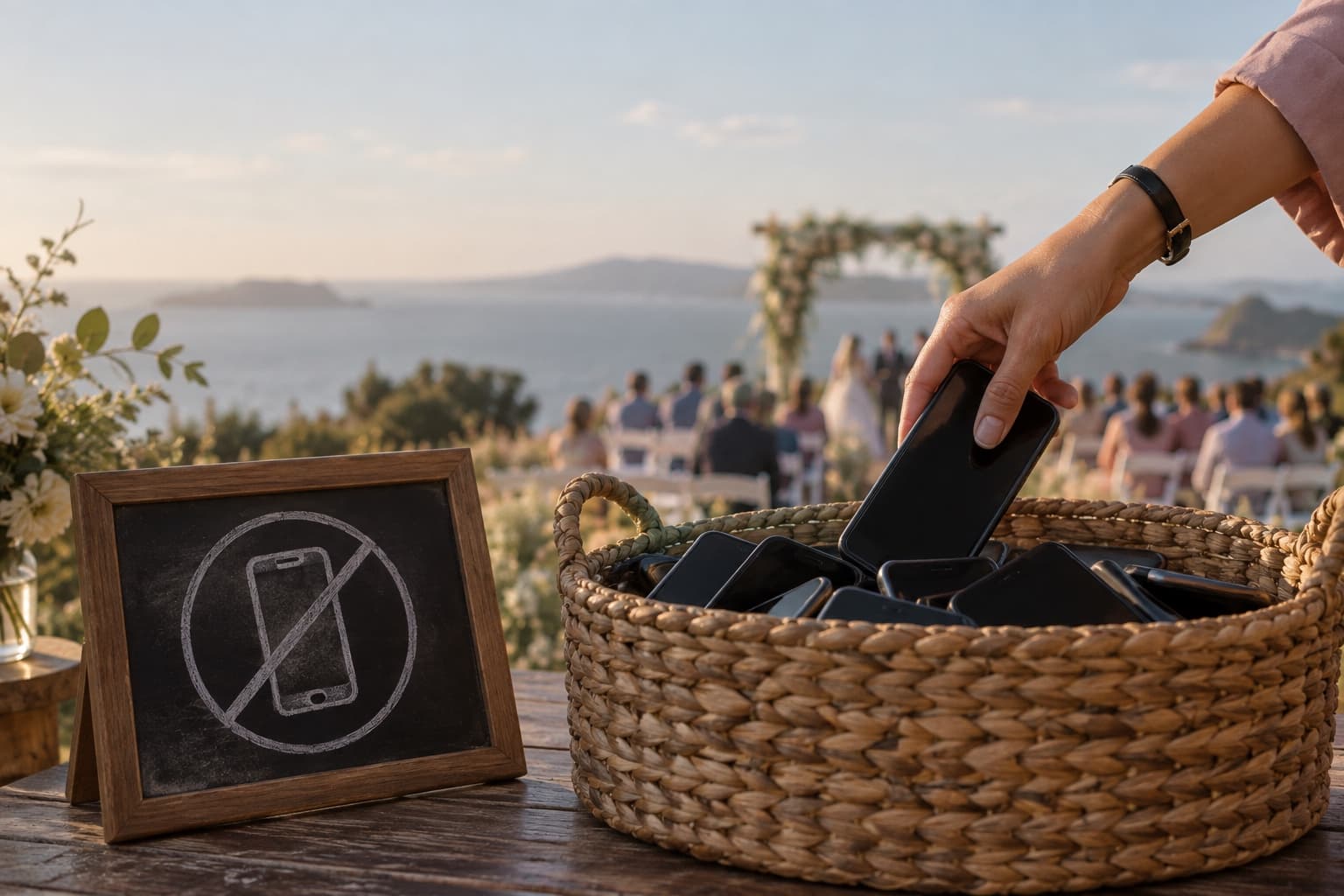
There is no signal on the island, and her sister has banned phones from the ceremony. She has already agreed.
  1. She sits down at the kitchen table. A new document, called Handover.
  2. The test. Six disasters, on index cards. Her team has to find the answer in the document.
  3. Her admin access is switched off.
  4. Her flight. Nine days, and no signal.
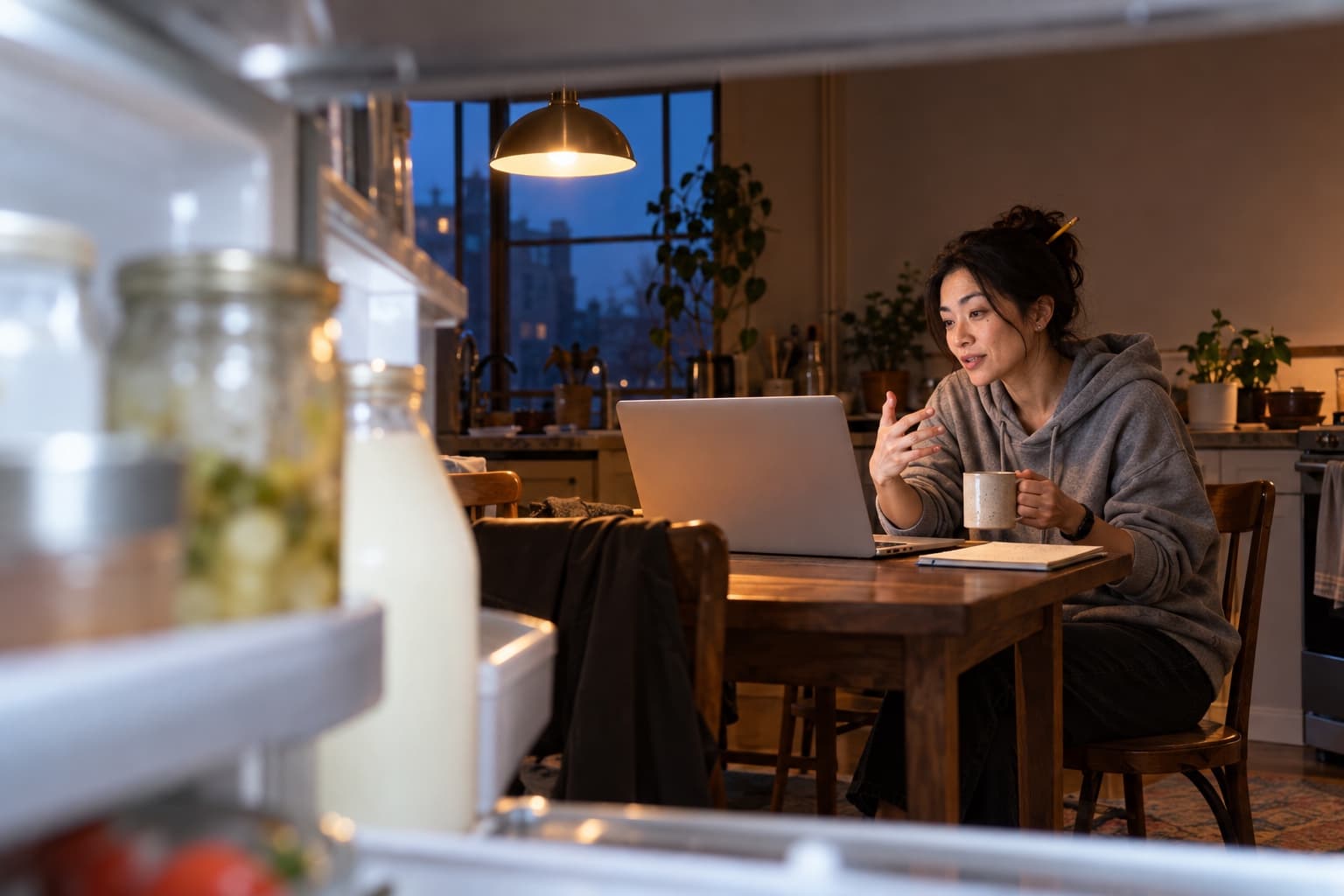
6:10 AMThe kitchen · frame 1 of 8

Start with the money

From inside the open fridge, at dawn: the shelf edge, a jar and a milk bottle soft in the foreground, and across the kitchen a woman in a grey hoodie dictating to her laptop under one lamp
Startwiththemoney.Payrollrunsonthe1standthe15th,andthebankalwayspanicsonthe14th.It'sfine.

She starts with the money, because the money is what frightens people. Payroll dates, which bank alert to ignore, where the spare card is. She has explained all of it to herself in the shower for two years and never once written it down, so it comes out in order.
Sori · 6:14 AM
speech???
tonight
Double-tap Fn
Double-tap to start, talk for as long as it takes, press it once to stop.
Wherever the cursor is
Here, a new document she called Handover. Nothing to set up first.
Ums out, nothing else
The bank still panics on the 14th. The app does not reword a word of it.
Kept on her laptop
It is turned into text on the computer itself, so the payroll dates stay there.
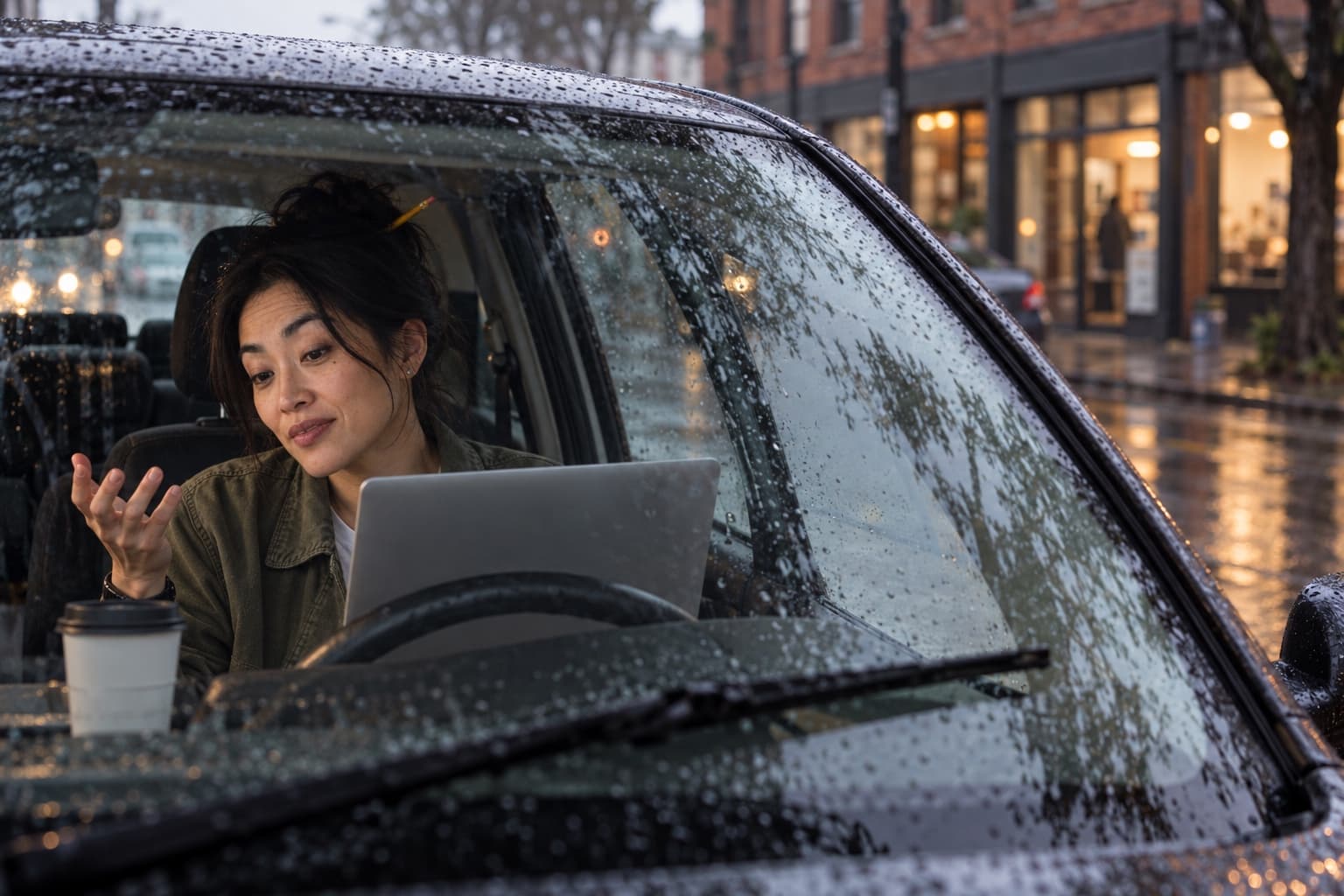
8:20 AMThe car · frame 2 of 8

It is not broken

Through a rain-streaked windshield: a woman in an olive jacket dictates to a laptop on the steering wheel, one hand raised, a wiper frozen mid-sweep
IfDr.Alvarezsaystheremindersarebroken,they'renot.Hisphoneisonsilent.Sendhimthepictureofthebell.

She reaches the office at 8:10 and stays in the car, because one customer has to be got right. Dr. Alvarez runs three clinics and phones every other Monday to say the reminders have broken. They have never broken. His phone is on silent. It takes her nine seconds to say, and would have taken a new hire nine months to work out.

Hold Fn
Hold it, say one entry, let go. It lands where the cursor is.
Hold or double-tap
Hold for a line, double-tap for a page.
Her voice, kept
Every dictation keeps its recording in History, next to the text.
No summary
It types what she said. It does not summarise, invent or improve.
10:45 AMThe office · frame 3 of 8

If it’s smoking, write it down

Seen from a security camera high in a ceiling corner: a woman stands at a standing desk with one arm raised, addressing the whole office and her laptop at once, while a young man laughs at his desk and a woman pulls off a headphone
From6tonightI'mgone.Notonchat,notonemail,notonthephone.Ifit'sonfire,putitout.Ifit'ssmoking,writeitdown.

By mid-morning the document is 2,000 words long and the office has noticed. She gives the team the rules standing up, to the room and the laptop at the same time. Theo laughs so hard he has to put his coffee down. Marisol has already screenshotted it for the wall.

Or click
The microphone on the floating icon starts it too. Click again to stop.
Any app with a cursor
A chat, an email, a document, a form in the browser.
Nowhere to type?
The app shows what you said, with Copy and Create Note, instead of typing it somewhere blind.
Send is still hers
The app types the words into the box. She decides when they go.
12:30 PMThe noodle bar · frame 4 of 8

The apology

At the counter of a noodle bar, behind the steam of a bowl: a woman in profile, one hand pressed to her chest, sincerely dictating an apology to her laptop
Lena,you'reright,anditwasourfault.It'sfixed,andMarisolwillcallyoutoday.She'sbetteratthisthanIam.

Lunch is noodles at a counter and the email she has been putting off. Lena owns nine clinics and lost a day of appointments last Thursday. Yuna says the apology the way she would say it across a table, which is why it has no “we apologise for any inconvenience” in it. Nobody has ever said that out loud.

Sori · 12:41 PM
mom asked if you have a speech
tonight. tell mom tonight.
Hold Fn
Hold while you talk, let go when you are done. Her hands stay free for the noodles.
Nothing reworded
Your words go in as you said them, so a sincere apology stays sincere.
Spoken punctuation
Say “new paragraph” or “question mark” and it types the mark, not the words.
Any email app
It types into whatever email is open. There is no special box to paste from.
3:20 PMThe park bench · frame 5 of 8

The kindest no

Across a street, through autumn leaves, small on a park bench: a woman leans back with a laptop on her knees, looks up at the sky and dictates with a tilted half-smile
Greg,I'dloveto.I'mawayuntilthe16th,sopickanyslotafterthat,mycalendarlink.I'llhaveopinionsandasunburn.

By 3:20 the office has turned into a queue of people finding things to ask her before six, so she takes the laptop to a park bench. An advisor has asked, kindly, if he could pick her brain this week. She says no the way she would to a friend, with a date on it. The link is a snippet: she says its name, and the app types the address.
Snippets
Save a phrase and the text to type in its place: a link, an address, a sign-off.
No AI in it
A snippet is instant and exact. It is never rewritten.
A phrase you would never say by accident
Two or three words. “My calendar link” is hers.
Saved on this laptop
Snippets live on the computer, like everything else the app keeps.
5:30 PMThe test · frame 6 of 8

The test

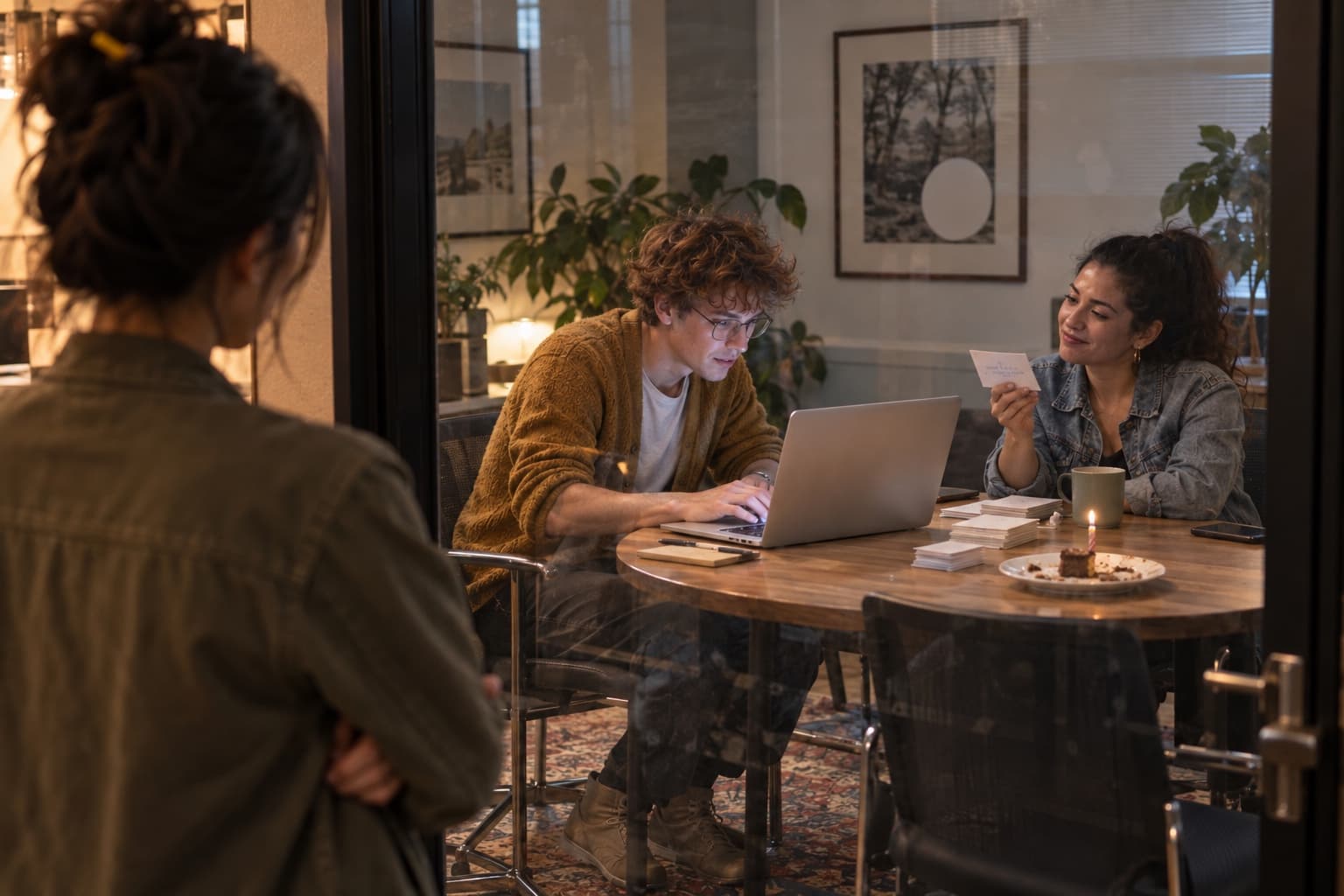
Through the glass wall of a meeting room, over a woman's shoulder as she stands in the corridor with her arms folded: a young man searches a laptop while a colleague holds up an index card, a cake with one candle between them
Card 3Dr. Alvarez says the reminders are broken.

Marisol has written six disasters on index cards and turns the third one over. Theo types one name into the search box. Page 4, third paragraph. He reads it out. Everyone in the room turns to look at her. She is in the corridor with her arms folded, and has just noticed she is holding her breath.

Marisol’s six cards, and where the answer was

  1. Card 1Payroll failspage 2
  2. Card 2The bank panicspage 1
  3. Card 3Dr. Alvarez says it is brokenpage 4
  4. Card 4A refund request on a Sundaypage 11
  5. Card 5The office Wi-Fi diespage 17
  6. Card 6Where is the spare card?page 1

Six out of six, at 5:41.

5:55 PMThe fire escape · frame 7 of 8

The last note

From below, through the steel grating of a fire escape at dusk, small at the top of the stairs: a woman with a laptop on her knees speaks quietly, a soft, serious face and a small private smile
Theo.Ifthedocandyourguteverdisagree,trustyourgut.You'vebeenright,um,morethanIhavethisyear.

It passes at 5:41. At 5:55 she goes out onto the fire escape, the only place in the building with a door and nobody in it, and writes Theo one more thing that is not in the document. He reads it after she has gone.
Theo · 9:03 PM
Go.
Double-tap Fn
The same key, the same way: double-tap to start, press once to stop.
Only where she points it
The words go into the app that has the cursor. Nothing is copied anywhere else.
No signal needed
Once the speech model is on the laptop, dictating needs no connection at all.
Ready to send
The note lands in the box. She reads it, and sends it.
10:40 PMThe kitchen again · frame 8 of 8

The speech

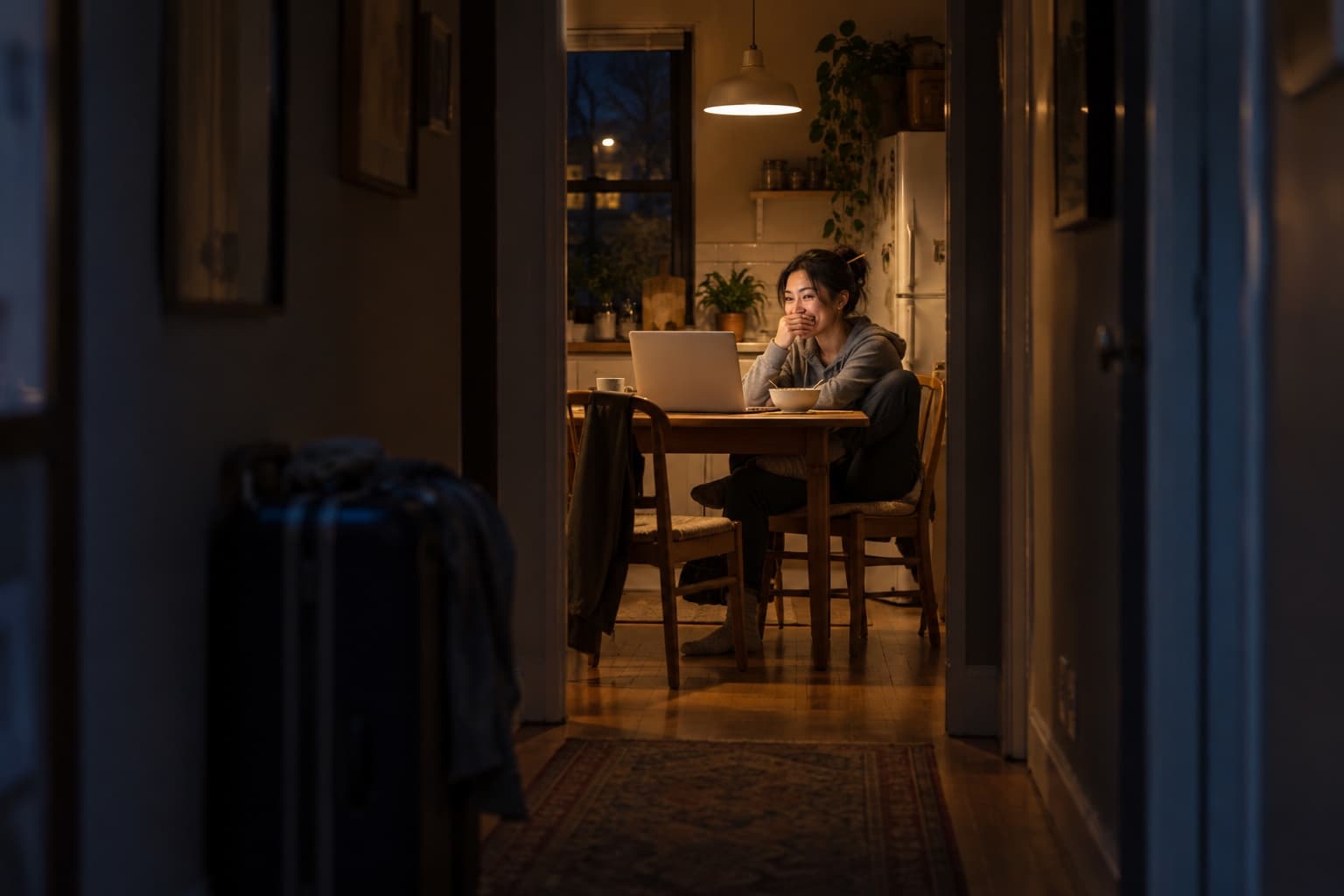
Down a dark hallway past a packed suitcase, in one pool of lamplight at the end: a woman at a kitchen table laughs behind her hand as she says her sister's wedding speech to her laptop
WhenIwas13,mysisterburiedmyretainerinthegardenandtoldMomthedogateit.Sori,Ifoundit.It'sinthesafe.

At 6:00 they took her access away, with a cake and a sign someone had made on the printer. She packed, ate cereal standing up, and at 10:40 sat down at the kitchen table with the one thing she had put off since March: her sister’s speech. It took her eleven minutes. She had been writing it in her head the whole time, too.
Sori · 10:58 PM
speech???
Done. 11 minutes.
ok now I'm scared
As long as she likes
A dictation never stops on its own, unless you set a limit in Settings.
Nothing reworded
A wedding speech should sound like the person giving it.
Yours to delete
Delete a dictation and its text and recording are erased from the computer.
Offline, if you like
Offline Lock stops every connection the app makes.
SaturdayThe island · phones in a basket

Nobody called

At the entrance to an outdoor wedding above a calm sea: a woman's hand, with a slim black watch, puts one more phone in a woven basket, beside a chalkboard with a crossed-out phone
Saturday, the ceremonyNine days.
Nobody called.

The company had two incidents while she was away, and both were in the document, one on page 4 and one on page 19. Theo fixed the second before Marisol had finished reading it out. Nobody called. On the ferry home she noticed she was not entirely sure how she felt about that.

Marked for printing

Of the eight, one was never about the company.

  1. 16:10 AM
  2. 28:20 AM
  3. 310:45 AM
  4. 412:30 PM
  5. 53:20 PM
  6. 65:30 PM
  7. 75:55 PM
  8. 810:40 PM
Print this one.

A photographer circles the frame worth printing. Seven of these were about the company: the money, a customer, the rules, an apology, a no, a test, a note. The eighth was her sister’s speech, and it took eleven minutes.

What it did all day

Three ways to start, one saved phrase.

Hold

Hold Fn and talk, and let go when you are done. 8:20, 12:30 and 3:20: the short ones.

Double-tap

Double-tap Fn, talk for as long as it takes, and press it once to stop. 6:10, 5:55 and 10:40: the long ones. It never stops on its own, unless you set a limit in Settings.

Click

Click the microphone on the floating icon, and click again to stop. 10:45, in the team chat.

A snippet

She said “my calendar link” and the app typed the address. A snippet is a saved phrase and its text. No AI is involved.

Fn is one of the keys you can choose in Settings; on Windows you pick yours there. Nothing she said was reworded, and on the default setup none of it left her laptop.

Measured, not promised

Our own numbers, from a 2018 laptop.

1.2 to 1.7 secondsFrom letting go of the key to text, for a dictation of up to about 70 words, roughly half a minute of speech.
186 wordsA passage a minute and a half long came back in 5.8 seconds.
About 30 secondsTo turn almost six minutes of recorded audio into text, without touching the internet.

Measured on a 2018 Intel MacBook Pro, everything on the computer, with AI cleanup switched off. If yours is an M-series Mac or a recent PC, it is doing less work than ours was.

Questions people ask first
Does it work in the email and chat apps I already use?
Yes. It types into whatever has the cursor: an email, a chat, a document, a form in the browser. If nothing is focused, the app shows you what you said, with Copy and Create Note, instead of typing it somewhere blind.
Can it type my signature or my calendar link for me?
Yes. In Snippets, save a phrase and the text to type in its place. Say the phrase and the text appears exactly as you saved it. No AI is involved, so it is instant and never rewritten. Pick a phrase of two or three words that you would never say by accident.
Does it clean up or reword what I say?
It never rewords you. Filler sounds like um are taken out, and spoken punctuation becomes punctuation. The optional AI cleanup, off by default, only sorts out your own spoken corrections and spells your vocabulary words. It never rewrites a sentence.
Which key starts it, and how long can I talk?
On a Mac, Fn is one of the keys you can choose in Settings. Hold it while you talk and let go when you are done, or double-tap it to keep recording hands-free and press it once to stop. On Windows you pick your key in Settings. You can also click the microphone on the floating icon. A dictation never stops on its own unless you set a limit in Settings, under Stop automatically after.
Is what I say private? It is full of customer names, prices and payroll.
On the default setup your speech is turned into text on your computer, so nothing you say is sent anywhere, and Dictate Safe never sees it. If you choose a cloud provider with your own key, your audio goes to that provider, and the app says so. Offline Lock stops every connection the app makes.
Does it keep the recordings?
Yes, unless you tell it not to. Every dictation keeps its recording in History, on your computer, next to the text. You can have recordings dropped after a while, and the text stays. Delete a dictation and its text and recording are erased.
Can it write my handover for me?
No, and it does not try. It types what you say, in your words. It does not summarise, invent or improve anything, so the document is exactly as good as what you said, which is the point of saying it.
What does it cost?
One payment for a lifetime license that covers 2 computers, with updates and fixes to the features sold included, while we offer the app. Try 25 dictations first, with no card and no account.

Try the part that matters first.

Twenty five dictations, no card and no account. It is the same app you would buy, running the same way it will on day thirty.

One time · 2 devices · 30 day refund

More stories

A different day, the same app.

All 8 use cases